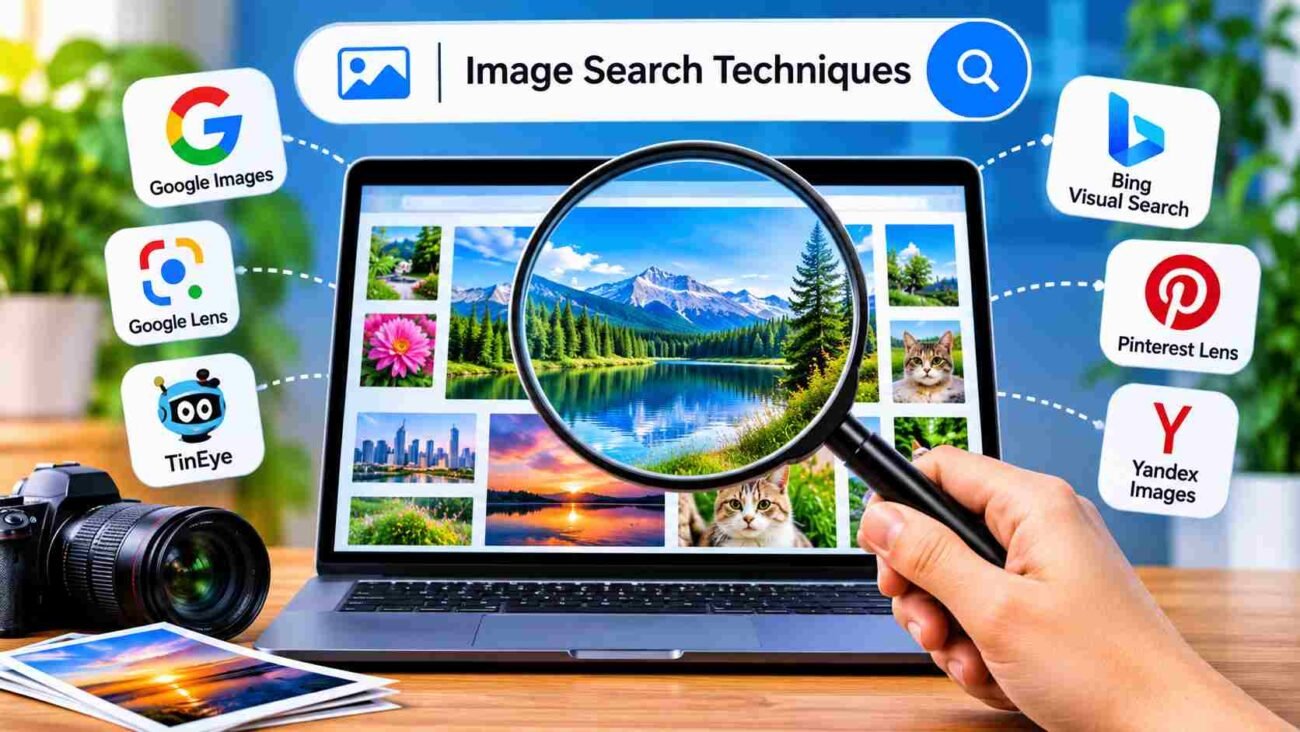
Image search techniques make it easier to find, identify, and explore pictures across the internet. Whether you want to discover similar photos, identify an unknown object, find a product, or trace the original source of an image, different search methods can help you get better results. Tools such as Google Images, Google Lens, TinEye, and Bing Visual Search offer useful features for these tasks. In this guide, we will explore the most common image search techniques, how they work, which tools are worth trying, and how to improve your search results.
What Is Image Search?
Image search is a way to find pictures online by using keywords, uploading an image, or selecting a picture from a device. Instead of searching only through written words, users can use visual information to discover similar photos, identify objects, find products, or locate the original source of an image. Search engines such as Google Images and Bing Visual Search make this process easier by displaying pictures related to a user’s query.
Image search is useful for students, researchers, designers, online shoppers, bloggers, and everyday internet users. For example, someone who finds an unknown flower in a photograph can use image search to look for its name. Similarly, a shopper can upload a product picture to find similar items online. The results depend on the image, search method, and information available across indexed websites.
How Does Image Search Work?
Image search systems use different methods to understand and organize visual content. When a user enters keywords, the search engine looks for images associated with those words, page titles, descriptions, and other available information. When a user uploads a picture, visual search technology can analyze details such as shapes, colors, patterns, objects, and other image features to find related results.
Some advanced systems use artificial intelligence and machine learning to recognize objects and compare visual similarities. They may identify that two pictures contain the same product or similar objects, even when the photographs are taken from different angles. However, image search is not always perfect. Results can vary depending on image quality, website indexing, and the capabilities of the search tool.
What Are the Different Image Search Techniques?
There are several image search techniques, and each one serves a different purpose. Keyword-based searching is useful when a person knows what they are looking for and can describe it with words. Reverse image search is helpful when someone already has a picture and wants to find its source or discover where else it appears online. Visual similarity search focuses on finding pictures that look like an uploaded image.
Other methods include color and pattern-based searching, object recognition, and product identification. These techniques can help users find images even when they do not know the exact name of an object. Choosing the right method depends on the task. Someone searching for a particular brand logo may use keywords, while a person trying to identify an unfamiliar item may get better results by uploading its photograph.
Keyword-Based Image Search
Keyword-based image search is one of the simplest ways to find pictures online. Users enter descriptive words into a search engine, such as “modern living room design,” “red sports car,” or “mountain landscape.” The search engine then displays images that match the search terms and related information available on web pages. This method works best when the user knows the subject or can describe the image clearly.
Using specific keywords can improve the quality of results. Instead of searching for a general term such as “shoes,” a user can enter “white running shoes for men” to narrow the search. Adding details such as color, location, size, style, or subject can make results more relevant. However, keyword-based search may not find the exact image if the words used on the original webpage are different.
Reverse Image Search
Reverse image search allows users to search the internet using an image instead of text. A person can upload a photograph, paste an image URL where supported, or select a picture from a device. The search tool analyzes the image and looks for matching or visually similar pictures. Depending on the service, results may include related images, webpages containing the picture, or information about objects shown in it.
This technique is especially useful when someone wants to find the original source of a photograph, check whether an image appears on other websites, or discover similar products. Google Lens, TinEye, and Bing Visual Search offer image-based search features. Still, reverse image search cannot guarantee that every copy of a picture will be found. Images that have been edited, cropped, or published on pages that search engines cannot access may not appear in the results.
Visual Similarity Search
Visual similarity search helps users discover images that look similar to a selected picture. Rather than relying only on the words used to describe an image, the technology compares visual characteristics such as shapes, colors, textures, and objects. This makes it useful when someone likes a particular design, product, outfit, or photograph but does not know the right search terms.
For example, a user can upload a picture of a chair to find other chairs with a similar shape or style. Online shopping platforms also use visual similarity features to help customers discover products that resemble the items they have seen elsewhere. The results may not be exact matches, because different objects can share similar visual features. Users should compare product details and other information before making a decision.
Color and Pattern-Based Image Search
Color and pattern-based image search focuses on visual details such as dominant colors, textures, and repeated designs. It can help users find pictures with a particular appearance, even when they do not know the exact subject. For example, someone looking for a blue floral background or a black-and-white geometric design may use color and descriptive keywords to narrow the results.
This technique is useful for graphic designers, photographers, fashion researchers, and people collecting visual inspiration. It can also help when searching for wallpapers, fabric patterns, interior decoration ideas, or design references. However, not every image search engine provides a dedicated color or pattern filter. In many cases, users need to combine descriptive keywords with available search filters to get more relevant pictures.
Object Recognition and Image Identification
Object recognition is a technique that uses computer vision and artificial intelligence to identify objects within an image. Depending on the tool, it may recognize items such as animals, plants, vehicles, furniture, food, or everyday products. This can help users understand what they are looking at without knowing the object’s name in advance.
Google Lens is one example of a tool that offers object recognition features. A user can point a camera at an item or upload an existing picture to search for related information. The results may include similar products, descriptions, websites, or other useful details. However, recognition can be inaccurate when an image is blurry, poorly lit, or shows an unusual object. Important identifications should be checked against additional sources.
When Should You Use Each Image Search Technique?
The best image search technique depends on what you want to find. Keyword-based searching is a good choice when you know the name or description of an image. Reverse image search is more suitable when you already have a photograph and want to locate matching versions or discover websites where it appears. Visual similarity search works well when you want pictures that have a similar appearance rather than an exact match.
Object recognition is useful when you need help identifying something in a photograph, while color and pattern searches are helpful for finding specific visual styles. You can also combine different techniques to improve your results. For example, uploading a product image first and then searching with its brand or model name may help you find more accurate information.
What Are the Best Tools for Image Search?
Several online tools offer image search features, but they are designed for slightly different purposes. Google Images and Google Lens are useful for general image discovery, reverse searching, and identifying objects. TinEye focuses on finding matching images and tracking where pictures appear online. Bing Visual Search provides another way to search using photographs and explore visually related content.
Other services, including Pinterest Lens, Yandex Images, and Lenso.ai, offer additional visual discovery features. Pinterest Lens is useful for exploring design and lifestyle inspiration, while Yandex Images can help users find visually similar pictures. Lenso.ai provides AI-powered image search features. No single tool is best for every situation, so the right choice depends on whether you need an exact match, a similar image, product information, or help identifying an object.
Google Images and Google Lens
Google Images is a widely used service for finding pictures through text searches. Users can enter a subject, person, location, product, or other description to explore related images from websites across the internet. Filters can help narrow results by options such as image size, color, type, and usage rights, although the available filters may vary. It is important to check the original webpage before using an image, especially for commercial or publishing purposes.
Google Lens adds image-based search capabilities. Users can upload a picture or use their device camera to search for objects, products, text, and visually similar content. For example, Lens can help someone find information about a plant, explore a product, or translate visible text in a photograph. Its results are helpful for discovery, but they should not automatically be treated as proof that an identification is correct.
TinEye for Finding Image Sources and Duplicates
TinEye is a reverse image search service designed to find matching images across the web. Users can upload an image or provide an image URL to search for copies and modified versions. It can be useful for photographers, publishers, researchers, and website owners who want to discover where a particular picture appears online.
One helpful feature is its ability to display matching results with information such as the websites where images were found. Users may also be able to sort results using available options, including older or newer matches. However, TinEye does not search every website on the internet, so missing results do not prove that an image has never been published elsewhere. It is best used as one part of a wider image research process.
Bing Visual Search for Objects and Products
Bing Visual Search allows users to search with an image rather than relying entirely on written descriptions. After uploading a picture or selecting an image where supported, users can explore visually related results, products, and webpages. It can be helpful when someone sees an item but does not know its name or the correct words to use in a search.
For example, a person can use a photograph of a decorative lamp to find similar designs or explore pages featuring related products. The tool may also help identify objects and discover additional information about them. Results can differ from those provided by Google Lens or other services, so comparing more than one search tool may be useful when accuracy matters.
Pinterest Lens for Fashion and Design Inspiration
Pinterest Lens is a visual discovery feature that helps users explore ideas based on images. It is particularly useful for finding inspiration related to fashion, home decoration, hairstyles, food, crafts, and other lifestyle topics. Users can select an image or use a camera to discover visually related Pins and ideas on Pinterest.
For example, someone who likes a particular room design can use Lens to explore similar furniture arrangements, colors, or decoration styles. It can also help users discover clothing combinations and creative projects. Pinterest Lens is mainly useful for inspiration and discovery rather than proving the original source or ownership of a photograph.
Yandex Images for Visual Matching
Yandex Images is an image search service that allows users to explore pictures through keywords and visual searches. Its reverse image search features can help find images that look similar to an uploaded photograph. Users may discover matching pictures, related versions, and webpages where similar visual content appears.
It can be useful when another search engine does not provide enough relevant results. Trying the same image on multiple platforms may reveal additional matches because each service has its own search index and image recognition systems. However, results should be checked carefully, particularly when identifying people, products, locations, or the original source of a photograph.
Lenso.ai for AI-Powered Image Search
Lenso.ai is an AI-powered image search platform that helps users discover visually related images online. It offers image-based search features and organizes results into categories depending on the available search options. Users can upload a picture to explore matching or similar content rather than depending only on written keywords.
This type of tool can be useful for image research, visual discovery, and finding related photographs. Its features and access options may change over time, so users should check the platform’s current terms and capabilities before relying on a particular function. As with other image search services, results are not guaranteed to be complete or perfectly accurate.
How to Find the Original Source of an Image?
Finding the original source of an image can take more than one search. Start by uploading the picture to a reverse image search tool such as Google Lens or TinEye. Review the matching results and open the webpages that contain the image. Look for the earliest available publication, the name of the photographer or creator, and any details that explain where the picture first appeared.
It is also helpful to search for different versions of the image. A cropped or edited photograph may produce different results from the original file, so try using the uncropped version if you have it. Check dates and website information carefully because the oldest result shown by a search engine is not necessarily the original publication. If ownership matters, contact the creator or publisher when possible.
How to Improve Image Search Results?
Good image quality can make visual searches more effective. When uploading a picture, choose a clear version that shows the main subject without unnecessary objects or distractions. If the image is too dark, blurry, or heavily cropped, the search engine may struggle to recognize important details. A simple photograph with the subject clearly visible is often a better starting point.
You can also improve results by trying different search methods. Use descriptive keywords alongside image uploads, crop the picture around the object you want to identify, and compare results from more than one search engine. If you are searching for a product, include its brand, model, or visible features when possible. These small changes can help narrow the results and make the search more useful.
Best Practices for Effective Image Searching

Start with a clear goal before choosing a search technique. If you want to identify an object, use an image recognition tool. If you need to locate copies of a photograph, try reverse image search. For general image discovery, use specific keywords and available filters. Choosing a method that matches your purpose can save time and reduce irrelevant results.
You should also check the source of any image you plan to reuse. Finding a picture through Google Images or another search engine does not mean it is free to copy. Review the original website, copyright information, and license terms before publishing or using it commercially. Avoid uploading private or sensitive photographs to services unless you understand their privacy policies and are comfortable with how the images may be processed.
Common Image Search Mistakes to Avoid
One common mistake is using very broad keywords. Searching for a word such as “car” may produce thousands of unrelated results, making it difficult to find the exact vehicle or photograph. Adding details such as the model, color, year, or location can make the search more focused. Another mistake is uploading a low-quality image that does not clearly show the subject.
Users may also assume that the first result is always the original image or that every matching result is accurate. Search engines can display copies, edited versions, and unrelated pictures that share similar features. It is important to open the source pages, compare details, and check the information before reaching a conclusion. Never assume that an image is copyright-free simply because it appears in search results.
Where Are Image Search Techniques Used?
Image search techniques are used in many areas of everyday life and professional work. Online shoppers use visual search to discover similar products, compare styles, and find items they have seen in photographs. Designers and photographers use it to explore creative inspiration, research visual trends, and locate references. Students and researchers can also use image search to learn about objects, historical photographs, and visual subjects.
Businesses use image search for product discovery, content research, and brand monitoring. Publishers and website owners may use reverse image search to investigate where their pictures appear online. These tools can also support travel planning, education, fashion research, and home decoration. Their usefulness depends on the quality of the search results and how carefully users check the information they find.
Frequently Asked Questions
1. What Is the Best Tool for Image Search?
Google Images and Google Lens are useful for general searches and identifying objects. TinEye is helpful for finding matching images, while other tools may provide different results.
2. Can I Search the Internet Using a Picture?
Yes. Reverse image search tools allow users to upload a picture or use an image URL where supported to find matching and visually similar results.
3. Is Reverse Image Search Free?
Some reverse image search services offer free searches, while certain features or higher usage limits may require payment.
4. How Can I Find Where an Image Originally Came From?
Upload the image to reverse image search tools, examine matching webpages, and compare publication dates and source details. The earliest result is not always the original source.
5. Can Google Identify Objects in Pictures?
Yes. Google Lens can recognize many objects and provide related search results, product information, and other details. Its results may not always be accurate.
6. Can Image Search Find Similar Photos?
Yes. Visual search tools can compare image features and display pictures that look similar, even when they are not exact copies.
7. Are Images Found Through Search Engines Free to Use?
No. Images may still be protected by copyright. Always check the original source and license terms before reusing a picture.
Conclusion
Image search techniques make it easier to find, identify, compare, and research pictures online. From keyword-based searching and reverse image search to object recognition and visual similarity tools, each method offers a different way to explore visual content. Services such as Google Images, Google Lens, TinEye, Bing Visual Search, and Pinterest Lens can help users find relevant pictures for personal, educational, and professional purposes.
The best results come from choosing the right tool, uploading clear images, using specific keywords, and checking the original sources. Whether you are looking for a product, identifying an unfamiliar object, or researching a photograph, understanding these techniques can make online image searching faster and more effective.
